Hand-offs with a record
Owners, next steps and waits on other departments, visible in one place and chased on time.
Explore OrchestrationFor operations leaders
Give every case an owner and every hand-off a record. Waits on doctors, Finance or Procurement are named, chased and raised when they pile up; checks before submission stop the rework; agents take the repetitive digital steps.
Built around your team
Rework starts where work crosses a line and nobody writes down who has it. sehaXG records the owner, the next step and the wait at every crossing, then learns from what comes back, so the same gap doesn't send the same case round twice.
Read: Every dinar has an ownerOwners, next steps and waits on other departments, visible in one place and chased on time.
Explore OrchestrationClaims and authorization requests checked before they go out, with rules learned from your own denials.
Explore IntelligenceAgents take status checks and approved digital submissions so the team can focus on exceptions.
Explore AI AgentsA closer look
Owned work first, intelligence on top, and AI agents for the repetitive digital steps.
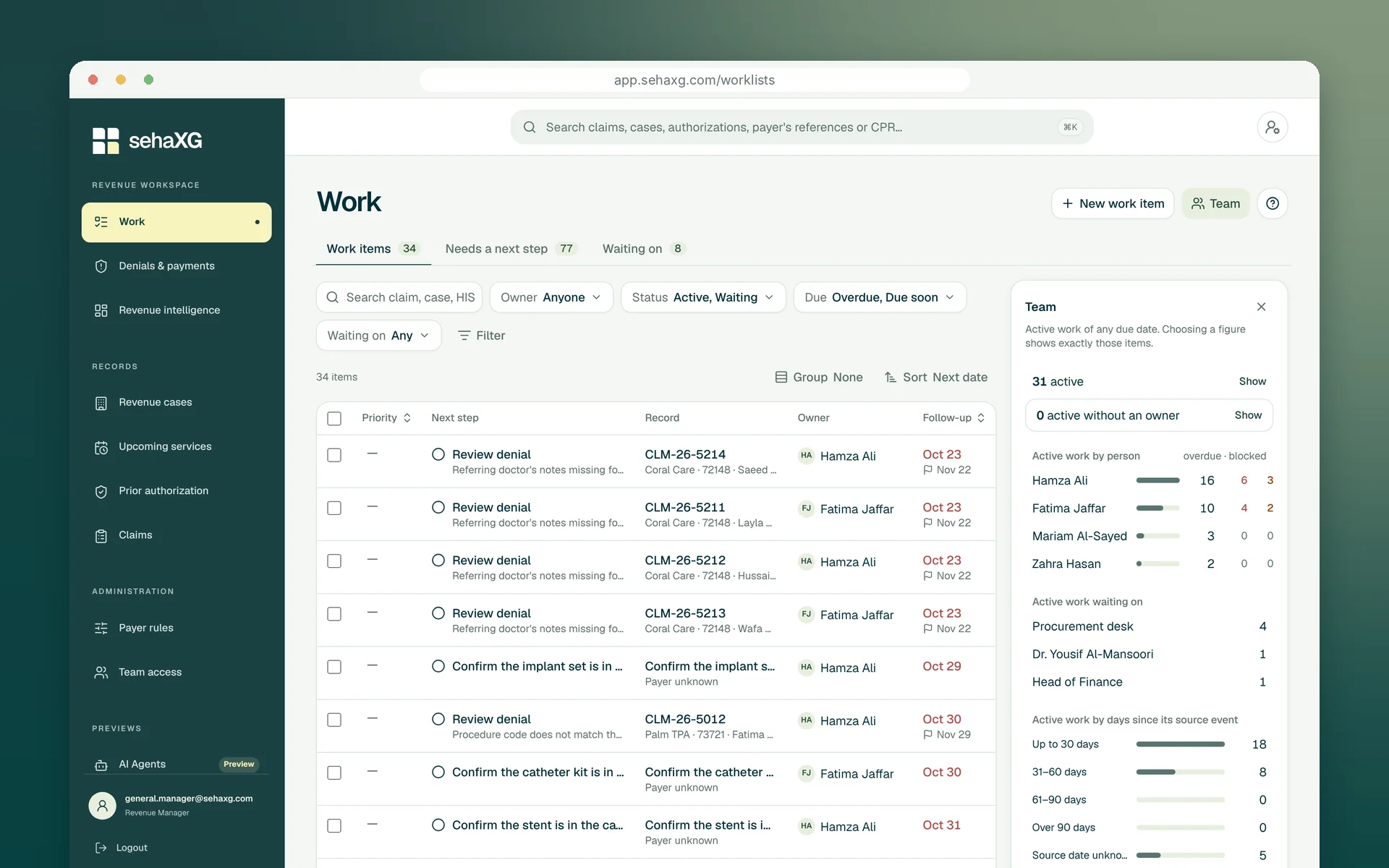
Worklists & ownership
Each work item has its next step, owner and follow-up date. Filter by owner, payer, due date or what it is waiting on, and see each person's active, overdue and blocked work in the Team panel.
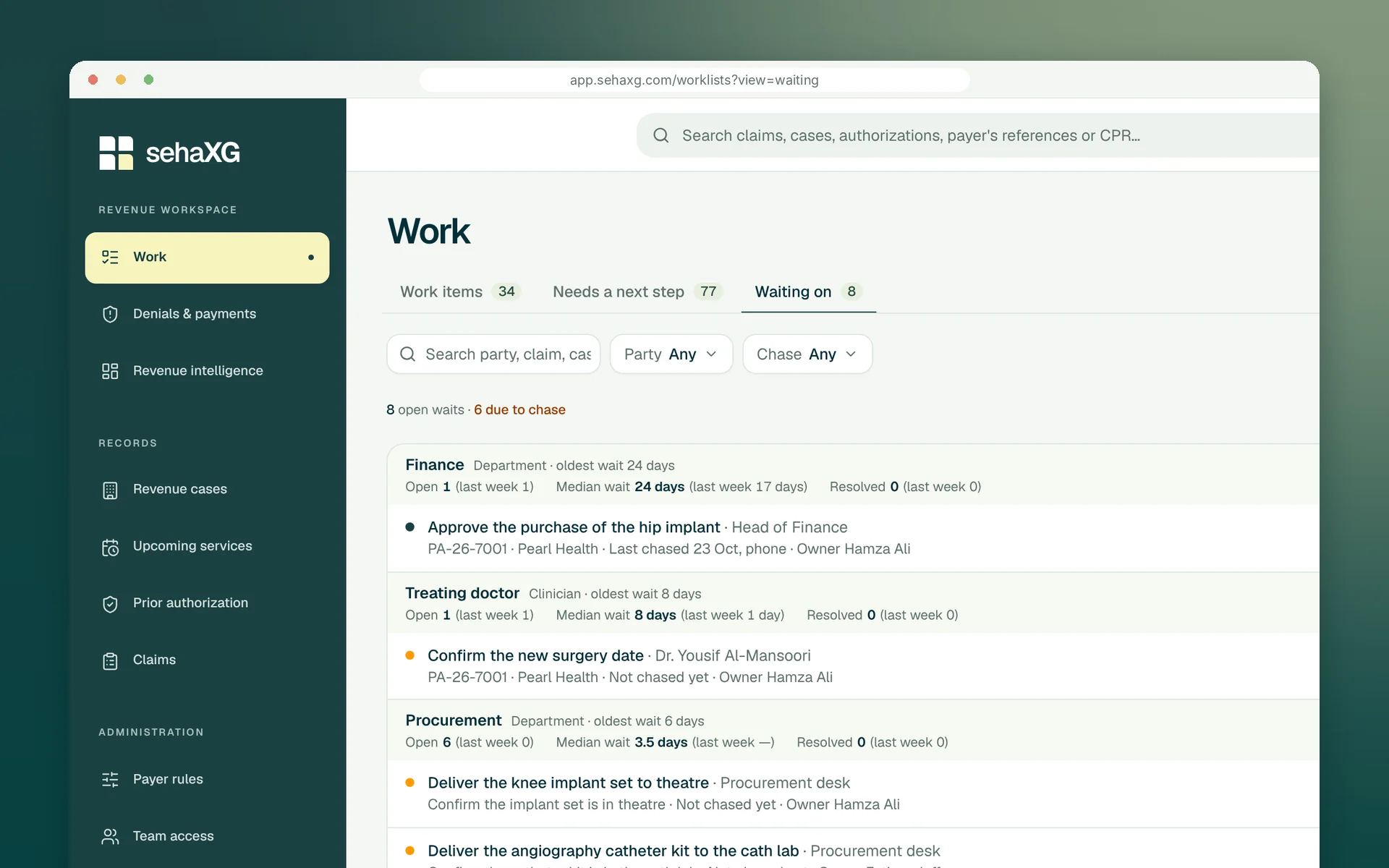
Waiting on
Theatre waiting on an implant, a surgeon on a date, Finance on a purchase: each wait is recorded with who holds it, since when and the next chase, grouped by party so you can see which desk is slowing the hospital down.
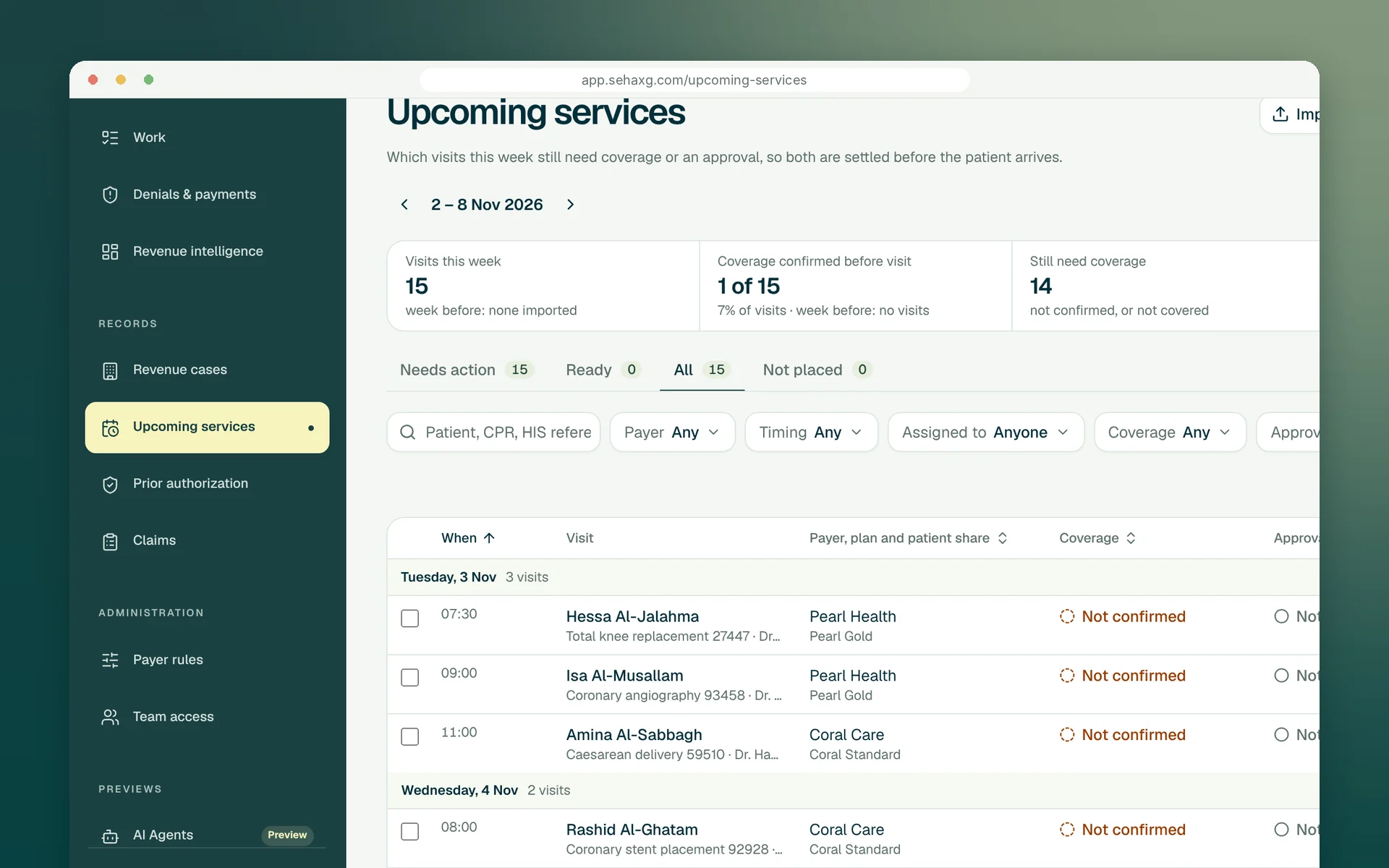
Before the visit
Next week's appointments come in from your hospital system, and each visit's coverage and approval has a named person settling it.
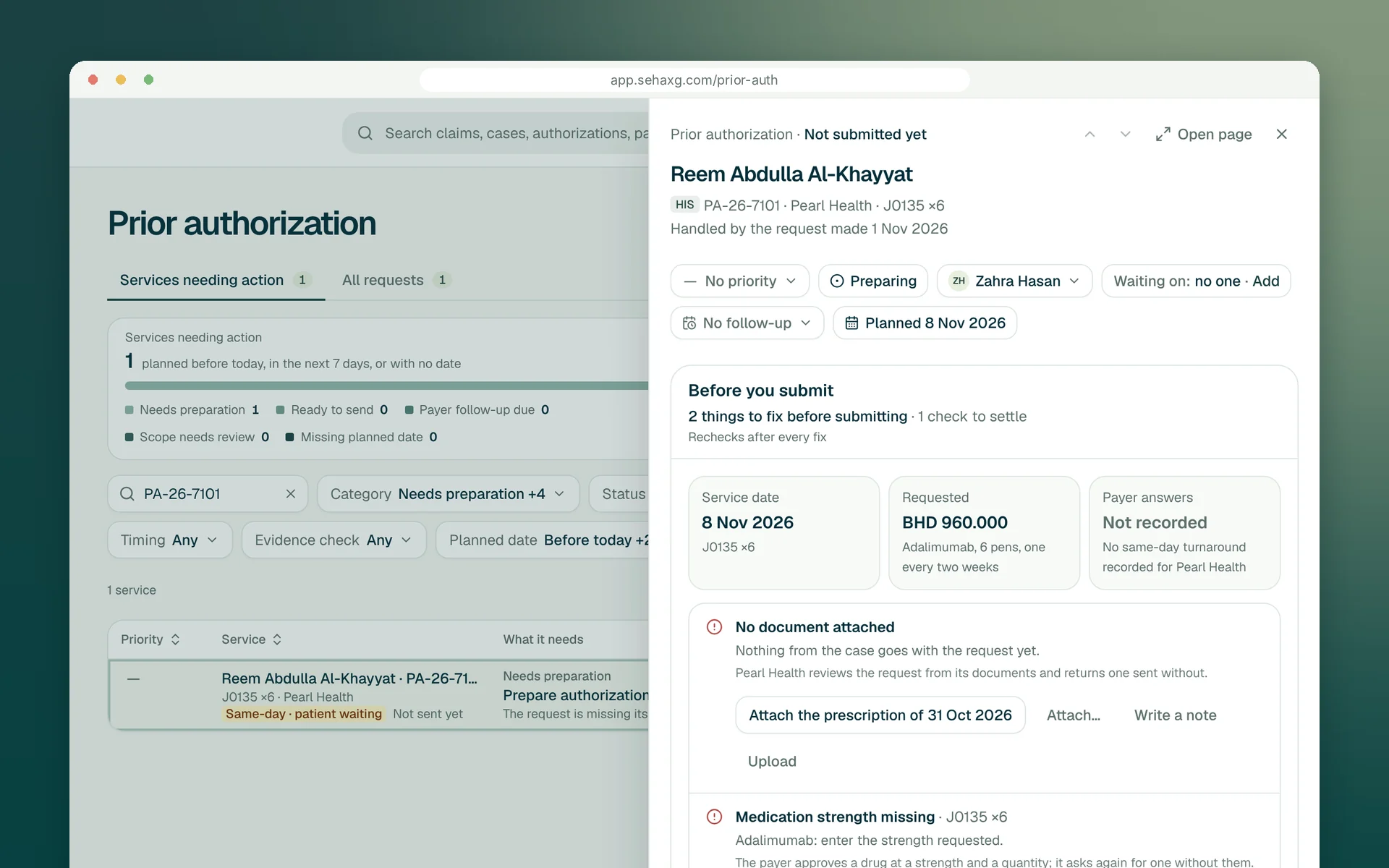
Checks before submission
Prior-authorization requests and claims are checked before they are sent: required documents, medication strength, payer thresholds and the rules learned from your own denials, each with a quick fix.
AI agents
Status checks and approved submissions go to agents, with every step recorded on the case and exceptions returned to the owner.
Digital follow-up, with a clear record.
Case scope verified
Preparing context
The reviewer sees the evidence and intended destination before the agent continues.
A little more clarity
Record the wait on the case: who it is waiting on, what they need to do, when it was asked and when to chase. Waiting on shows every open wait by party, and findings are raised when they pile up on one desk.
Requests are checked before they are sent against the payer's requirements and your learned rules, with quick fixes for missing documents and details, so fewer come back for an avoidable omission.
They check claim and authorization statuses, and prepare and submit claims, authorization requests and appeals through digital channels, inside the cases your team owns. They stop for a person wherever your rules say so, every step is recorded with the case, and they don't make phone calls: a case that needs a conversation goes to its owner.
Let’s move forward
Bring the hand-off that keeps breaking. We'll show it with an owner, a wait on the record and a chase on time.
Request a demo