Before the visit
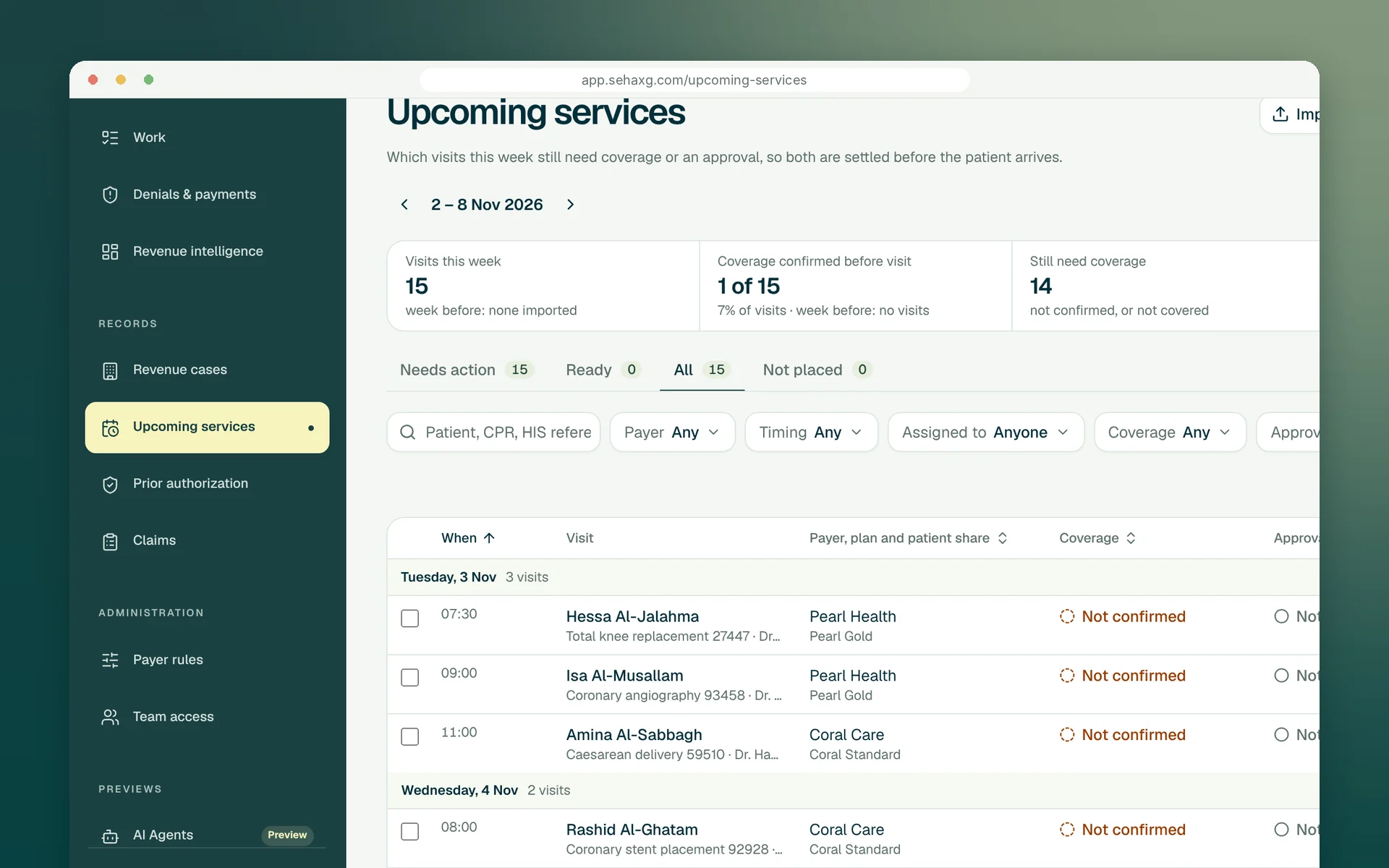
Next week's appointments arrive from your hospital system, and each visit's coverage and approval has a named person settling it.
sehaXG Orchestration
Run the revenue cycle from the patient's first call to the payment in one place. Each case has an owner, a next step and a date; approvals hand off to billing; waits on doctors, Finance or Procurement are named and chased, so nothing stalls quietly.
Built around your team
Most revenue teams are good at the parts they own. The trouble starts where work crosses a line: from booking to approvals, from approvals to billing, from billing to a doctor or a purchasing desk. sehaXG writes down who has the case at every crossing, so the manager no longer has to walk the corridors and ask.
Read: Every dinar has an ownerNext week's appointments arrive from your hospital system, and each visit's coverage and approval has a named person settling it.
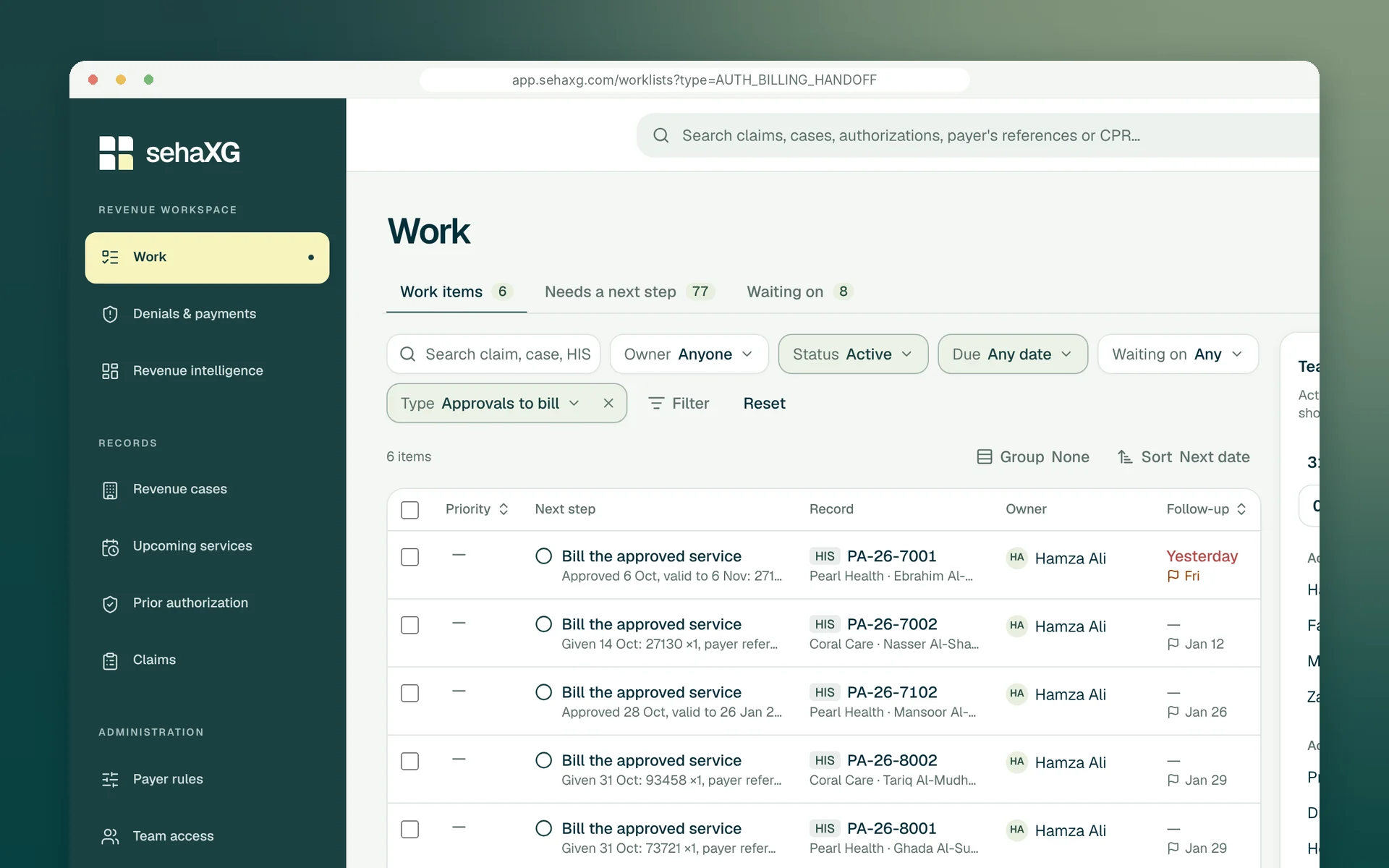
An approved service becomes billing's next step, due before the approval ends.
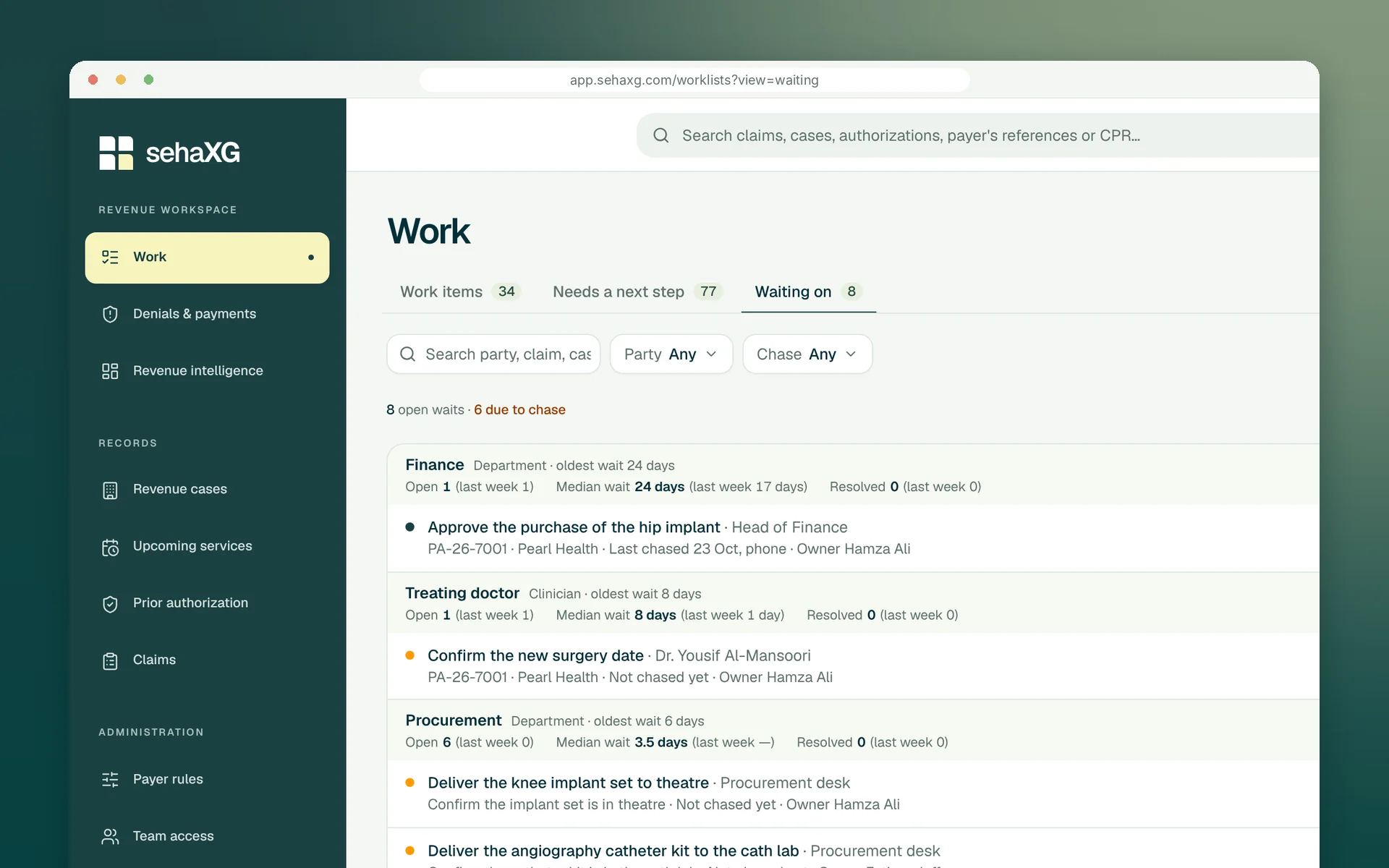
Who holds the case, since when, and when to chase next, for every wait in the hospital.
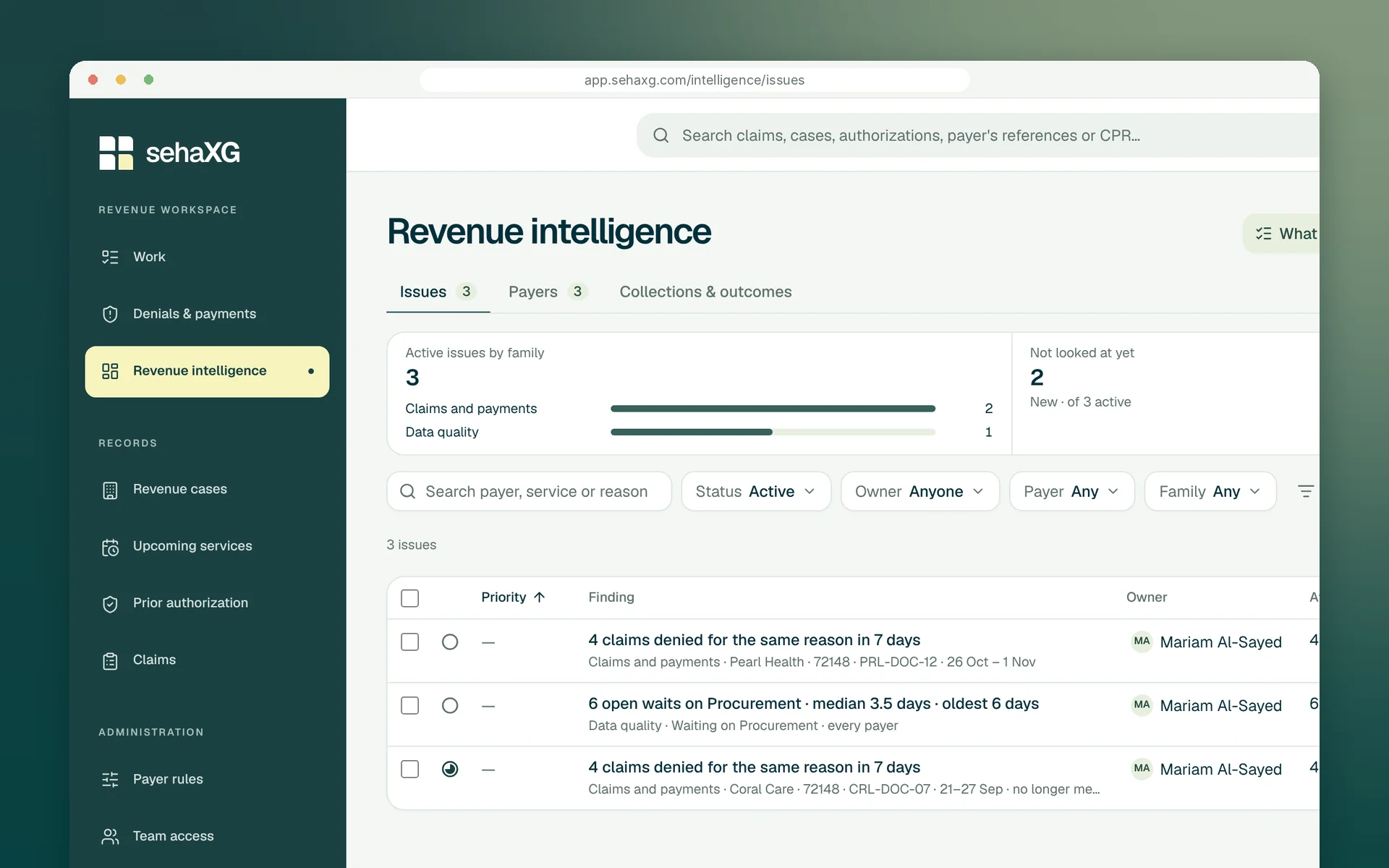
Each tab is a real sehaXG screen.
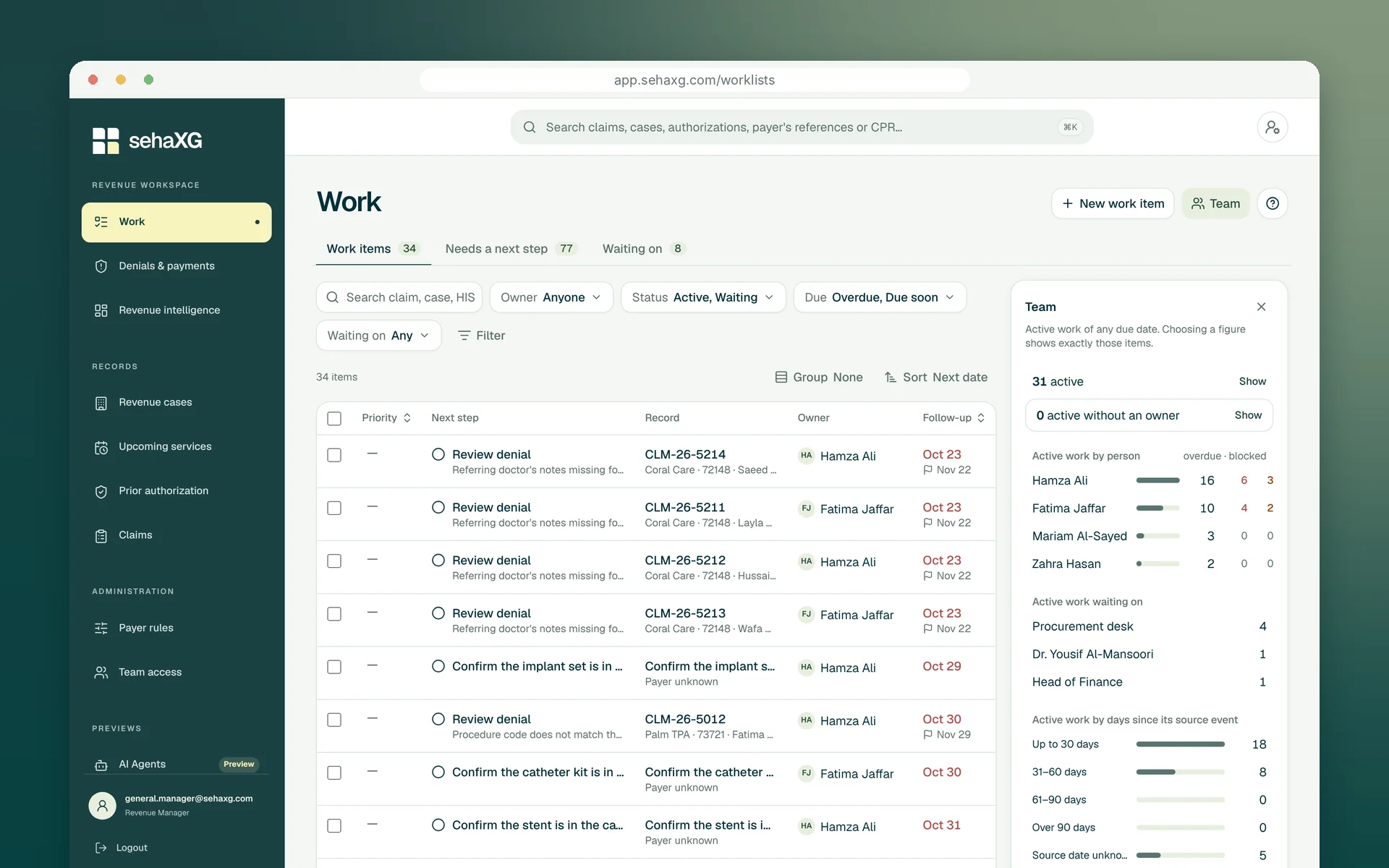
Every piece of revenue work has one owner, what happens next and when. The Team panel shows each person's active, overdue and blocked work, and anything left without an owner.
A closer look
From the first call to the payment: owners, hand-offs and waits, then the intelligence and agents that build on them.
Before the visit
Import the appointment list from your hospital system and every planned visit has its coverage and approval assigned to a named person, before the patient arrives.
From approval to bill
The moment an approval is recorded, billing has a work item to bill the approved service, with the approval's end date on it. A service given is billed; a service that slips shows before the approval lapses.
Every wait on the record
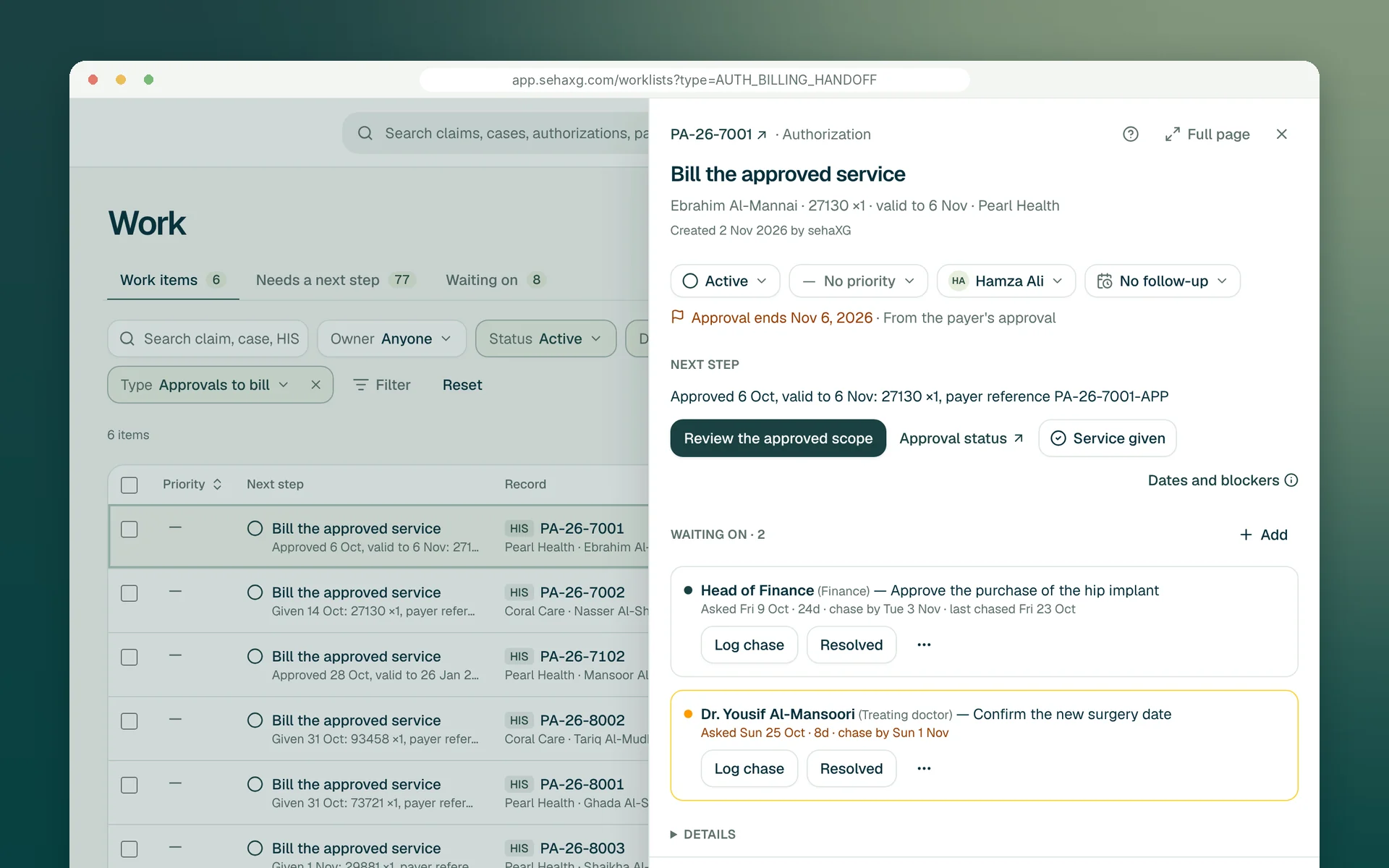
An approved hip replacement waits on Finance to buy the implant and on the surgeon to confirm a date. Each wait is recorded on the case with when it was asked, each chase by email or phone, and when to chase next.
Waiting on
Finance, the treating doctors, Procurement: every open wait grouped by the party holding it, with the oldest wait, the median and how many were resolved this week, and which ones are due a chase today.
Owners
Each work item has a next step, an owner and a follow-up date. The Team panel shows each person's active, overdue and blocked work, so a manager can rebalance the day in a minute.
Escalation
Revenue intelligence watches the waits too. When several cases pile up on one desk, it raises the pattern with the affected waits attached, so the conversation with that department starts from facts.
AI agents
When an agent checks a status or submits a claim, an authorization request or an appeal, it does it on an owned case and records what it did. What it can't finish goes back to the owner with what it found.
Digital follow-up, with a clear record.
Case scope verified
Preparing context
The reviewer sees the evidence and intended destination before the agent continues.
A little more clarity
Each piece of revenue work, from a visit's approval to a denial, has one named person, a next step and a follow-up date. Default owners can be set per payer, so approvals and billing items land with the right person the moment they are created.
The wait is added to the case: who it is waiting on (Finance, a treating doctor, Procurement or a colleague), what they need to do, when it was asked and when to chase. Each chase is logged; when the wait is resolved, the evidence is recorded with it.
When an approval is recorded, billing gets a work item to bill the approved service, owned by the person your team names for that payer and due before the approval ends.
Waiting on shows every open wait by who holds it, and Revenue intelligence raises a finding when waits pile up on one party, with the affected cases attached.
They check claim and authorization statuses, and prepare and submit claims, authorization requests and appeals through digital channels, inside the cases your team owns. They stop for a person wherever your rules say so, every step is recorded with the case, and they don't make phone calls: a case that needs a conversation goes to its owner.
Let’s move forward
Bring the approval that lapsed or the case that sat with another department. We'll walk it from the first call to the payment, with its owner, its waits and its next step.
Request a demo